
The LAGENIO K9 is more expensive than the K3. Most of that difference comes down to one feature: Nio AI. Whether that premium is justified depends almost entirely on what your child will actually do with an AI assistant on their wrist.
This review covers what the K9 is, who it is built for, when it makes sense to choose it over the K3, where it works across Europe, why Nio AI either adds genuine value or sits unused, and how the feature functions in practice.
What Is the LAGENIO K9?
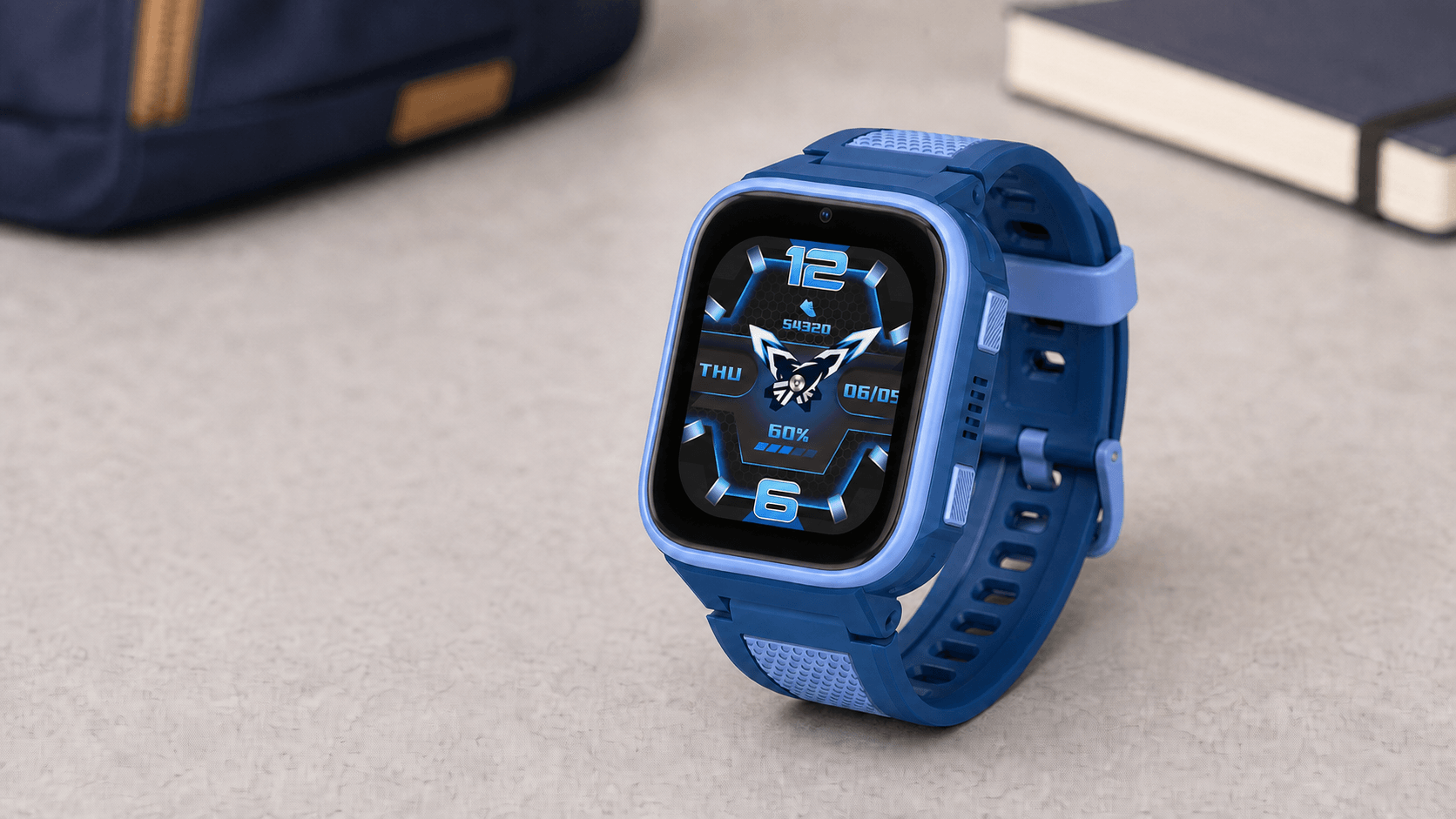
The LAGENIO K9 is a 4G kids smart watch designed for school-age children. Like the K3, it provides GPS tracking, voice and video calling, SOS emergency alerts, school mode, and IP68 water resistance. These core safety and communication features are shared across both models.
What makes the K9 different is the hardware and software layered on top of this foundation.
The K9 runs on Android 8.1 with a W377E processor and 8GB of storage with 1GB RAM. The display is a 1.78-inch AMOLED panel at 368 by 448 pixels. The camera is 5MP. The battery is 700mAh.
Most significantly, the K9 includes Nio AI — a voice-activated AI assistant built directly into the watch. This is the feature that defines the K9 as a distinct product rather than simply a premium version of the K3.
Who Is the K9 Built For?
The K9 is built for children roughly between eight and twelve years old.
At this age, a kids smart watch begins to serve a different role than it does for younger children. Safety and location tracking are still the primary reasons parents buy one. But children in this age group are starting to ask more questions, take on more responsibility for their own schedules, and engage with learning in a more independent way.
The K9 is designed around that shift.
Nio AI gives a curious child a way to ask questions without reaching for a parent's phone. The timetable feature lets them manage their class schedule. The 5MP camera produces sharp enough images to capture notes or moments worth remembering. The AMOLED display makes all of this more comfortable to use on a screen just under two inches.
For a six-year-old, these additions are mostly irrelevant. For a ten-year-old who asks questions constantly and wants a watch that keeps up with them, they change what the device actually is.
The K9 is not the right choice for every child in its target age range. A child who shows no interest in asking questions, who would never voluntarily use an AI assistant, and who mainly needs GPS and calling will not use most of what makes the K9 worth its price. In this case, the more affordable K3 is the wiser choice.
When Does the K9 Make Sense Over the K3?
There are a few situations where the K9 is clearly the better option.
The most straightforward is when a child is old enough to engage with an AI assistant. If your child already asks a lot of questions — about science, about words, about how things work — Nio AI gives them a way to explore those questions independently. That independence has different value depending on the child, but for genuinely curious kids it changes the nature of the device from a safety tool into something they actually want to use.
The second situation is display quality. The K3 uses a TFT panel at 240 by 280 pixels. The K9 uses an AMOLED panel at 368 by 448 pixels. The difference is noticeable. Text is sharper, video calls are clearer, and the screen is more comfortable to read outdoors. If a child is going to be using the watch for video calls with family or looking at responses from Nio AI, the display difference matters.
The third situation is the timetable. The K9 allows a child to enter their full class schedule — up to eight classes per day — and view it on the watch. The K3 does not have this feature. For a child managing a more complex school day with multiple subjects and teachers, having their schedule on their wrist is useful. It does not send reminders or alerts; it is a reference tool the child checks themselves.
If none of these three situations apply to your child, the K3 is the more appropriate choice.
Where Does the K9 Work?
The K9 works with a standard nano SIM card and connects to 4G networks. It is compatible with the major mobile networks across Europe.
In Italy, it works with TIM, Vodafone, Iliad, Wind Tre, Fastweb, and Poste Mobile. In France, it is compatible with Orange, SFR, Bouygues Telecom, and Free Mobile. In Germany, it connects to O2, Telekom, Telefonica, and Vodafone. In Spain, compatible networks include Vodafone, Movistar, Orange, Simyo, Jazztel, Telecable, Digi, Finetwork, and Euskaltel.
For the Nio AI features to function, the watch needs an active internet connection. Voice queries, weather lookups, and image generation all require connectivity. GPS tracking and SOS calling continue to work independently of data.
A note on Nio AI's language support: at the time of writing, the specific languages supported by Nio AI have not been publicly confirmed. We will update this section as that information becomes available.
Why Nio AI Either Changes Everything or Changes Nothing
The honest answer is that Nio AI's value depends entirely on the child using it.
For a child who asks questions, the feature changes the nature of the watch. Instead of checking GPS and occasionally calling a parent, it becomes a device they interact with. They press the button and ask why the sky is blue, or what a particular word means, or what the weather will be like this afternoon. Nio AI responds in text on the watch screen within one to two seconds.
The image generation feature follows the same logic. A child asks Nio AI to draw a dog, a spaceship, or a specific scene, and an image is generated on the watch within a few seconds. The style depends on how the request is framed — the output can range from photorealistic to illustrated to cartoon depending on the wording. For creative or imaginative children, this is genuinely engaging.
Neither feature imposes limits on how often they are used. There is no daily cap on questions or images. The only requirement is an internet connection.
For a child who shows no particular interest in asking questions or generating images, the feature will sit largely unused. A watch that more expensive than a functionally equivalent model for safety and communication purposes is harder to justify when the primary differentiating feature goes untouched.
This is not a criticism of the K9. It is an honest description of how the value is distributed. The K9 is better hardware across the board — faster processor, better display, better camera. Those improvements benefit any child who uses the watch. Nio AI specifically benefits children who will engage with it.
How Nio AI Actually Works
Nio AI works through a press-and-hold interaction. The child presses a button on the watch and speaks their question. Nio AI processes the input and returns a written response on the watch screen.
There is no wake word. The interaction is always initiated by pressing the button. This has a practical implication: Nio AI does not accidentally activate in a bag or during class. It only responds when the button is held.
Responses appear as text rather than audio. Nio AI does not speak back to the child. This keeps interactions quiet, which is appropriate for school or shared spaces.
Weather queries are handled through a live internet connection, so the response reflects current conditions rather than a static estimate. General knowledge questions — how things work, what words mean, facts about science or history — are answered from the AI's knowledge base.
For image generation, the child describes what they want in the voice prompt. Nio AI generates the image in one to three seconds and displays it on the watch screen. The image is not saved to the phone album or shared externally; it is viewed on the watch.
Nio AI includes content filtering appropriate for minors. Queries that would produce inappropriate responses are handled by the built-in safety layer rather than returned to the child.
The feature requires internet connectivity to function. When the watch is offline, Nio AI is not available. GPS, SOS, and calling continue to work independently.
K9 vs K3: The Short Version
For parents deciding between the two models, the choice comes down to this.
The LAGENIO K3 covers every core safety and communication need: GPS tracking, 4G calling, video calls, school mode, SOS, geofencing, and IP68 water resistance. Its 770mAh battery, 0.3MP camera, and TFT display at 240 by 280 pixels are sufficient for a younger child or one whose needs centre entirely on safety and contact.
The LAGENIO K9 adds Nio AI, a significantly better display, a 5MP camera, the timetable feature, more storage, and a faster processor running on Android 8.1. These additions make the watch more capable and more engaging for a child in the eight-to-twelve age range who will actively use them.
Neither is the wrong choice. The question is which set of features matches how your specific child will use the device.

Final Verdict
The LAGENIO K9 is a well-built kids smart watch that delivers meaningfully better hardware than the K3 and adds Nio AI as a genuinely useful feature for the right child.
The honest caveat is that "the right child" does the work in that sentence. A curious, engaged eight-to-twelve-year-old who asks questions and would enjoy an AI assistant on their wrist will get real value from the K9 beyond what the K3 provides. A child whose needs are primarily safety-focused, or who is simply younger, will find the K3 equally effective at a lower price.
If you are unsure which describes your child, the K3 is the safer starting point. The K9 is worth its premium when the extra features will be used. When they will not, it is a better watch that costs more for reasons that do not apply to your situation.

Share:
How to Choose the Right Smartwatch for Your Child's Age
How to Set Up Your LAGENIO Kids Smart Watch: Parent Setup Guide