
Der Zwei-Sekunden-Entscheidungstest
Beantworten Sie diese eine Frage:
"Braucht mein Kind einen KI-Lernassistenten, der Fragen wie 'Warum ist der Himmel blau?' beantwortet und auf Befehl Bilder generiert?"
- JA → Sie benötigen K9 4G (es ist das einzige Modell mit Nio AI)
- NEIN → Sie möchten wahrscheinlich K3 4G (spart Ihnen 40-60 €, längere Akkulaufzeit)
Immer noch unsicher? Lesen Sie weiter – dieser Leitfaden erklärt jeden Unterschied, damit Sie mit Zuversicht entscheiden können.

Warum dieser Vergleich existiert
Hier ist die ehrliche Wahrheit: LAGENIO K3 und K9 sind keine "guten" vs. "besseren" Uhren – sie sind unterschiedliche Werkzeuge für unterschiedliche Bedürfnisse.
Stellen Sie es sich wie Autos vor:
- K3 = Zuverlässige Limousine: Bringt Sie von A nach B, unglaubliche Kraftstoffeffizienz, geringere Kosten
- K9 = Luxuslimousine: Gleiche Zuverlässigkeit, plus Premium-Funktionen (KI, HD-Display, größere Kamera)
Beide haben identische Sicherheitskerne:
- Fünf-Modus-GPS-Tracking (GPS/WLAN/LBS/A-GPS/ACC)
- 4G-Sprach- und Videoanrufe
- IP68 Wasserdichtigkeit
- Schulmodus
- SOS-Notfallsystem
- Elektronische Sicherheitszonen
- Familienchat + Bluetooth-Freundesystem
Die Unterschiede liegen in den "Extras" – und ob diese Extras wichtig sind, hängt vom Alter Ihres Kindes, Ihrem Budget und Ihren Prioritäten ab.
Die vollständige Vergleichstabelle
| Funktion | K3 4G | K9 4G | Gewinner? |
|---|---|---|---|
| KI-Assistent (Nio) | Keiner | Sprach-Q&A + Bilderzeugung | K9 (einzigartiges Feature) |
| Display-Typ | TFT | AMOLED | K9 (heller, sattere Farben) |
| Bildschirmgröße | 1,7 Zoll | 1,78 Zoll | Gleichstand (vernachlässigbarer Unterschied) |
| Auflösung | 240 × 290 Pixel | 368 × 448 Pixel | K9 (schärferer Text/Bilder) |
| CPU | W117 | W377E | K9 (schnellere Verarbeitung) |
| Betriebssystem | RTOS | Android 8.1 | K9 (flexibler, zukünftige Updates) |
| Akku | 770mAh | 700mAh | K3 (9% größere Kapazität) |
| Speicher | 64MB + 128MB | 8GB + 1GB | K9 (125x mehr Speicher!) |
| Kamera | 0,3 MP (VGA) | 5 MP (HD) | K9 (16x höhere Auflösung) |
| Stundenplan-Funktion | Keine | Ja (8 Klassen/Tag) | K9 (K3 hat nur Alarme) |
| 4G-Anrufe | Sprache + Video | Sprache + Video | Gleichstand (identisch) |
| GPS-Tracking | 5-Modus | 5-Modus | Gleichstand (identisch) |
| Wasserdichtigkeit | IP68 | IP68 | Gleichstand (beide schwimmfest) |
| Schulmodus | Ja | Ja | Gleichstand (identisch) |
| SOS-Notfall | Ja (3 Kontakte) | Ja (3 Kontakte) | Gleichstand (identisch) |
| Sicherheitszonen | 2 Zonen (500m-1km) | 2 Zonen (500m-1km) | Gleichstand (identisch) |
| Familienchat | Ja | Ja | Gleichstand (Text/Sprache/Emoji) |
| Bluetooth-Freunde | Ja | Ja | Gleichstand (Uhr zu Uhr) |
| Alarme | 4 Alarme | 4 Alarme | Gleichstand (identisch) |
| Preisspanne | 89-109 € | 127-159 € | K3 (40-50 € billiger) |
Die zwei Kernunterschiede, die wirklich zählen
Unterschied Nr. 1: Nio KI-Assistent (K9 Exklusiv)
Dies ist die einzige Funktion, die K3 physisch nicht kann. Alles andere sind nur "bessere Spezifikationen" – aber Nio AI ist eine völlig andere Fähigkeit.
Was Nio AI tatsächlich macht:
1. Sprachgesteuerter Wissensassistent
Ihr Kind drückt und hält einen Knopf, stellt eine Frage, und Nio antwortet mit Text auf dem Bildschirm.
Reale Beispiele:
- Wissenschaft: "Warum ist der Himmel blau?" → Nio erklärt Rayleigh-Streuung kindgerecht
- Schlafenszeit: "Erzähl mir eine Geschichte" → Nio generiert eine originelle Kurzgeschichte
- Praktisch: "Wie ist das Wetter heute?" → Nio liefert Echtzeit-Vorhersage (erfordert Internet)
- Bildung: "Erzähl mir etwas über Dinosaurier" → Nio gibt altersgerechte Fakten
- Natur: "Was für ein Baum ist eine Eiche?" → Nio erklärt mit Details
2. KI-Bildgenerator
Ihr Kind kann Bilder anfordern und Nio erstellt sie in 1-3 Sekunden.
Reale Beispiele:
- "Zeichne mir ein Bild von einem Welpen" → Generiert niedliche Welpenillustration
- "Zeig mir ein Schloss" → Erstellt Fantasy-Schlossbild
- "Ich möchte ein Raumschiff sehen" → Generiert Science-Fiction-Raumschiff-Kunst
Verfügbare Stile: Realistisch, Cartoon, Malerei, Skizze – hängt davon ab, wie das Kind die Anfrage formuliert.
Warum das wichtig ist (altersabhängig):
Alter 5-7:
Begrenzter Wert. Kleine Kinder stellen viele "Warum"-Fragen, aber sie wollen diese normalerweise Ihnen stellen, nicht einer Uhr. Sie bauen durch Neugier eine Eltern-Kind-Beziehung auf. KI kann sachlich antworten, aber nicht die emotionale Bindung bieten, die ein Elternteil bei der Erklärung von etwas gibt.
Eltern-Erfahrungsbericht:
"Mein 6-Jähriger fragte Nio einmal 'Warum Vögel fliegen?', fand es cool und benutzte es dann nie wieder. Er fragt lieber mich, weil ich ihm Videos zeigen, Vogelstimmen nachahmen und es in ein Spiel verwandeln kann." – Marco, Vater von Luca (K9-Besitzer)
Alter 8-10:
Mittlerer Wert. Dies ist das "Sweet Spot"-Alter für Nio. Kinder sind neugierig, können fließend lesen und lieben es, sich unabhängig zu fühlen. Nio wird zu einem "Taschenlexikon", das sie konsultieren können, ohne Erwachsene zu belästigen.
Anwendungsfälle, die Eltern berichten:
- Hausaufgabenhilfe ("Wie schreibt man 'notwendig'?" "Was ist 7 mal 8?")
- Leere Neugier während Autofahrten ("Wie weit ist der Mond entfernt?")
- Unterhaltung beim Warten (Nio bitten, lustige Bilder zu generieren)
- Schlafenszeit-Routine (eine Geschichte anfordern, wenn die Eltern beschäftigt sind)
Eltern-Erfahrungsbericht:
"Meine 9-Jährige benutzt Nio fast täglich. Gestern fragte sie beim Frühstück 'Warum gibt es Jahreszeiten?'. Ich hatte es eilig zur Arbeit, also sagte ich 'Frag Nio!'. Sie bekam eine klare Erklärung und wir besprachen es beim Abendessen. Es ist, als hätte sie einen geduldigen Tutor am Handgelenk." – Giulia, Mutter von Sofia (K9-Besitzerin)
Alter 11-12:
Abnehmender Wert. Pre-Teens haben zunehmend Zugang zu Smartphones (entweder eigene oder die der Eltern). Sie können Fragen flexibler googeln, als Nio es bietet. In diesem Alter geht es bei Nio eher um Neuheit als um Notwendigkeit.
Jedoch: Einige Eltern berichten, dass Nio immer noch nützlich ist, weil es "immer da" ist (Kinder können ihre Uhr nicht wie Telefone zu Hause vergessen).
Der Haken: Nio benötigt Internet
Wichtige Einschränkung:
Nio ist nicht offline-fähig. Es benötigt:
- Aktive SIM-Karte mit Datenverbindung
- 4G/LTE-Abdeckung
- Verbindung mit WLAN
Das bedeutet:
- Funktioniert in der Schule (wenn der Schulmodus es erlaubt)
- Funktioniert zu Hause (über Mobilfunkdaten oder WLAN)
- Funktioniert im Freien (die meisten städtischen/vorstädtischen Gebiete)
- Funktioniert nicht im Flugmodus
- Funktioniert nicht in Gebieten ohne 4G-Signal
- Funktioniert nicht, wenn die SIM-Daten aufgebraucht sind
Inhaltssicherheit (entscheidend für Eltern):
Nio hat integrierte Kinderschutzfilter:
- Keine Inhalte für Erwachsene (Gewalt, Sexualität, Obszönitäten)
- Altersgerechte Sprache (Erklärungen für Kinder vereinfacht)
- Verweigerung der Beantwortung unangemessener Fragen (z. B. "Wie baue ich eine Waffe?")
Was Nio NICHT tun wird:
- Kontaktinformationen von Fremden bereitstellen
- Medizinische Ratschläge geben
- Politische/religiöse Fragen beantworten
Unterschied Nr. 2: Display-Qualität (AMOLED vs. TFT)
Dies ist der zweitgrößte Unterschied – und im Gegensatz zu Nio fällt er jedes Mal auf, wenn das Kind auf seine Uhr schaut.
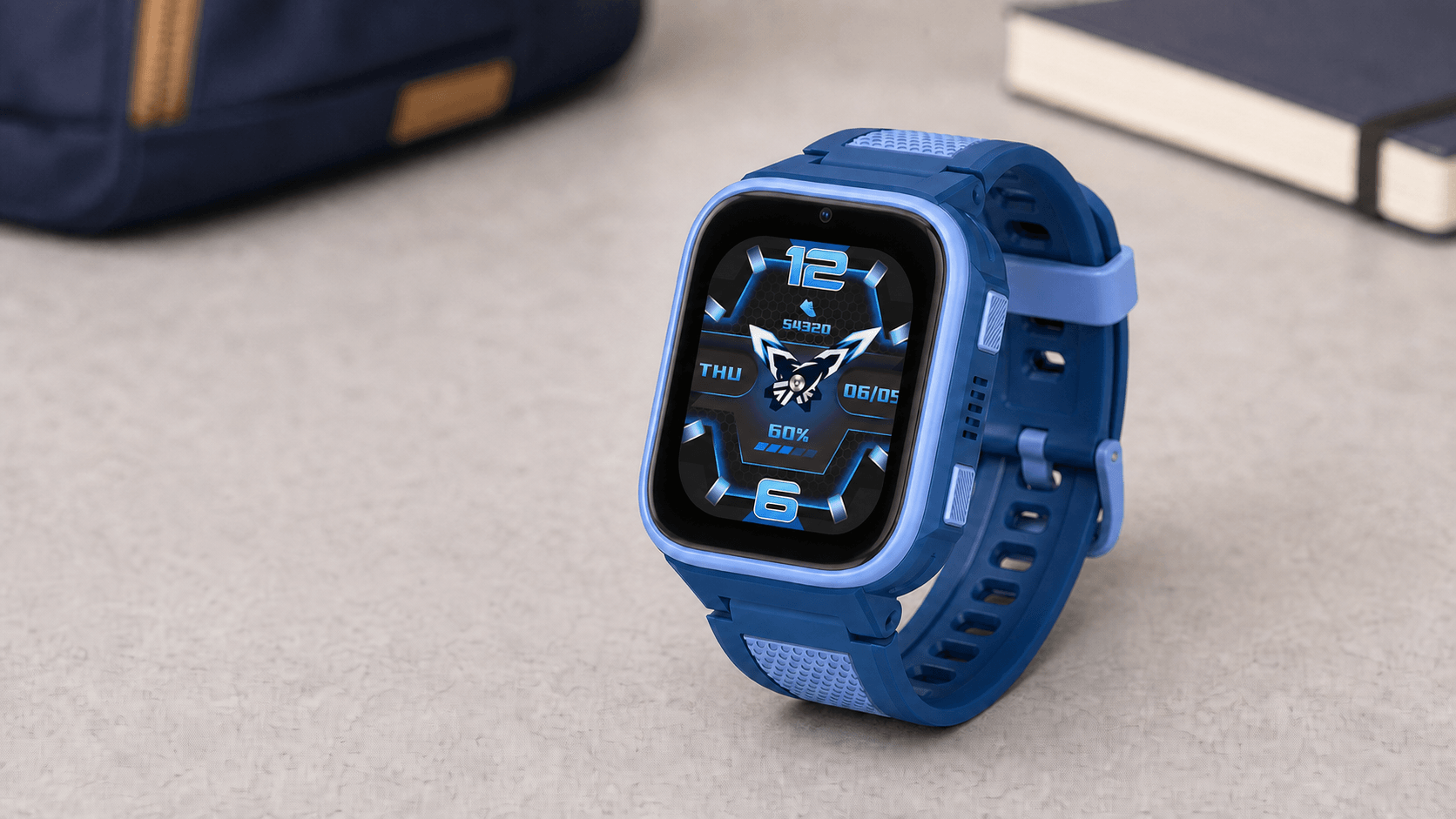
K9's AMOLED-Display (1,78", 368×448 Pixel)
Technologie:
Jeder Pixel strahlt sein eigenes Licht aus (keine Hintergrundbeleuchtung erforderlich). Schwarze Pixel = komplett aus = null Stromverbrauch.
Vorteile:
- Sichtbarkeit im Freien: Kann 500+ Nits Helligkeit erreichen (in direktem Sonnenlicht lesbar)
- Farbbrillanz: Tiefe Schwarztöne, gesättigte Farben (lässt Fotos/Bilder hervorstechen)
- Augenkomfort: Reduzierte Blaulichtemissionen im Vergleich zu TFT (laut Displayforschung 30% weniger)
- Akkueffizienz: Dunkle Zifferblätter verbrauchen minimal Strom
- Schärfe: 368×448 Auflösung = gestochen scharfer Text, detaillierte Bilder
Praktische Auswirkungen:
- Videoanrufe sehen merklich besser aus (mehr Farbtiefe, klarere Gesichter)
- Von Nio generierte Bilder werden mit mehr Details angezeigt
- Stundenplan/Text ist leichter zu lesen (höhere Pixeldichte)
- Uhr fühlt sich "hochwertiger" an (Kinder merken das – beeinflusst die Bereitschaft, sie zu tragen)
K3's TFT-Display (1,7", 240×290 Pixel)
Technologie:
Herkömmliches LCD mit LED-Hintergrundbeleuchtung. Alle Pixel teilen sich eine einzige Hintergrundbeleuchtungsebene.
Vorteile:
- Kostengünstig: 30% billiger in der Herstellung (Einsparungen werden an den Kunden weitergegeben)
- Langlebigkeit: Kein AMOLED-Einbrennrisiko (statische Elemente wie die Uhrzeit beschädigen den Bildschirm über Jahre nicht)
- Bewährte Zuverlässigkeit: TFT hat Jahrzehnte der Feldtests in Kindergeräten hinter sich
- Ausreichende Qualität: 240×290 Auflösung ausreichend für primäre Funktionen (Anrufe, Zeitanzeige, GPS)
Praktische Auswirkungen:
- Videoanrufe sind klar, aber weniger lebendig (ausreichend, um Gesichter zu sehen – Großeltern werden sich nicht beschweren)
- Text ist lesbar, aber nicht so scharf (gut zum Ablesen der Uhrzeit/Nachrichten)
- Sichtbarkeit im Freien ist gut, aber nicht außergewöhnlich (bei hellem Sonnenschein muss der Bildschirm möglicherweise beschattet werden)
- Uhr fühlt sich für einige ältere Kinder "spielzeugartig" an (ästhetische Präferenz)
Visueller Vergleich Seite an Seite:
| Szenario | K3 TFT Erfahrung | K9 AMOLED Erfahrung |
|---|---|---|
| Uhrzeit drinnen überprüfen | Perfekte Klarheit | Perfekte Klarheit (etwas schöner) |
| Uhrzeit bei Sonnenlicht überprüfen | Bildschirm abschatten oder neigen nötig | Ohne Anpassung klar sichtbar |
| Videoanruf mit Oma | Ihr Gesicht klar erkennbar | Gesichtsausdrücke, Hauttöne erkennbar (HD-Qualität) |
| Anzeigen eines von Nio generierten Bildes | N/A (kein Nio) | Lebendige Farben, detaillierte Darstellung |
| Textnachricht lesen | Lesbar | Scharfe, glatte Schriftarten |
| Nachts tragen | Helle Hintergrundbeleuchtung | Echtes Schwarz (kein Lichtaustritt) |
Ist Displayqualität für Kinder wichtig?
Alter 5-7:
Minimale Auswirkungen. Kleine Kinder haben keine Referenzpunkte. Sie wissen nicht, was AMOLED ist – sie wissen nur "Ich kann den Bildschirm sehen." TFT ist völlig ausreichend.
Alter 8-10:
Mäßige Auswirkungen. Kinder in diesem Alter bemerken visuelle Qualität (sie haben Tablets, Smartphones gesehen). Ein AMOLED-Bildschirm lässt die Uhr "cooler" erscheinen, was die Akzeptanz beeinflusst. Einige Eltern berichten, dass das K9-Display Beschwerden über das Tragen der Uhr reduziert hat.
Alter 11-12:
Hohe Auswirkungen. Pre-Teens sind imagebewusst. Eine "kindische" Uhr mit einem schwachen, verpixelten Bildschirm könnte in einer Schublade landen. Das AMOLED-Display des K9 besteht den "Peer-Akzeptanz"-Test besser.
Eltern-Erfahrungsbericht:
"Meine 11-jährige Tochter weigerte sich, ihre alte Uhr zu tragen, weil sie 'wie ein Spielzeug aussah'. Wir haben auf K9 aufgerüstet, und jetzt zeigt sie sie tatsächlich ihren Freunden. Das AMOLED lässt sie wie eine 'echte' Smartwatch aussehen, nicht wie einen Baby-Tracker." – Elena, Mutter von Giulia (wechselte von einem Konkurrenzprodukt zu K9)
Die geringfügigen Unterschiede (reale Auswirkungen vs. Marketing-Hype)
Speicher: 8GB vs. 64MB (Klingt riesig, ist aber eigentlich geringfügig)
K9: 8GB + 1GB RAM
K3: 64MB + 128MB RAM
Auf dem Papier hat K9 125 Mal mehr Speicher. Klingt, als wäre K3 lahm, richtig?
In Wirklichkeit:
- K3's 64MB fasst: Betriebssystem (RTOS, kleiner Fußabdruck) + Zifferblätter + Alarmeinstellungen + Kontaktliste + 3 Tage Standortdaten + Fotos, die mit der 0,3MP Kamera aufgenommen wurden (~200 Fotos)
- K9's 8GB fasst: Android OS (1GB) + Vorinstallierte Apps (500MB) + Nio KI-Modelle (1GB) + Fotos von der 5MP Kamera (~1.000+ Fotos) + Restlicher Speicherplatz (5,5GB... meist ungenutzt)
Die Wahrheit:
Sofern Ihr Kind nicht über 500 Fotos pro Woche macht, ist der Speicher des K3 ausreichend. Der zusätzliche Speicher des K9 ermöglicht Nio und speichert mehr hochauflösende Fotos – aber die meisten Kinder füllen ihn nicht.
Eltern-Erfahrungsbericht:
"Mein Sohn hat K3 seit 8 Monaten. Er hat vielleicht insgesamt über 100 Fotos gemacht. Der Speicher war nie ein Problem." – Marco (K3-Besitzer)
Kamera: 5MP vs. 0,3MP (Spielt das eine Rolle?)
Das Datenblatt:
- K9: 5MP (2592×1944 Auflösung) = HD-Qualität
- K3: 0,3MP (640×480 Auflösung) = VGA-Qualität
Reale Videoanrufqualität:
| Szenario | K3 (0,3 MP) | K9 (5 MP) |
|---|---|---|
| Anruf drinnen (gute Beleuchtung) | Klare Gesichter, ausreichende Details | Klare Gesichter, HD-Details (Sommersprossen, Ausdrücke sichtbar) |
| Anruf draußen (helle Sonne) | Ausgebleicht, geringer Kontrast | Exzellenter Dynamikbereich, klar |
| Schwaches Licht (Abend) | Körnig, Gesichter sichtbar, aber unscharf | Besserer Sensor, Gesichter bleiben klar |
| Urteil der Großeltern | "Ich kann sie sehen!" | "Es ist wie FaceTime!" |
Fotoqualität:
K3 (0,3 MP):
- Gut für: Selfies, bei denen man sich einfach an den Moment erinnern möchte
- Schlecht für: Drucken, Zoomen, Text erfassen (Hausaufgaben auf der Tafel)
K9 (5 MP):
- Gut für: Alles – Erinnerungen, Schulprojekte, Teilen mit der Familie
- Schlecht für: Nichts (es ist eine solide Smartphone-Kameraqualität für eine Uhr)
Wichtiger Hinweis:
Fotos, die auf K9 oder K3 aufgenommen wurden, können derzeit nicht über den Familienchat gesendet werden (Funktion in Entwicklung). Sie werden auf der Uhr gespeichert und sind nur auf dem Uhrenbildschirm sichtbar. Eltern können nicht über die App auf die Fotogalerie der Uhr zugreifen (Datenschutz)..
Stundenplan-Funktion (K9 exklusiv, aber begrenzte Nutzung)
Was es tut:
Eltern legen in der App den Stundenplan fest (z. B. Mo-Fr 9:00-9:45 Mathe, 10:00-10:45 Naturwissenschaften...). K9 zeigt ihn auf dem Bildschirm an. Bis zu 8 Klassen pro Tag.
Was es nicht tut:
- Keine Erinnerungen/Benachrichtigungen ("Mathe beginnt in 5 Minuten!")
- Keine automatische Integration mit dem Schulmodus
- Nur eine statische Anzeige (Kind öffnet die Stundenplan-App manuell, um sie anzusehen)
Für wen es ist:
Kinder im Alter von 8-10 Jahren, die lernen, mit der Zeit umzugehen. Sie können auf ihre Uhr schauen, um zu sehen: "Welche Klasse kommt als Nächstes?"
Warum K3 es nicht hat:
K3 hat stattdessen 4 Alarme (die K9 auch hat). Eltern können Alarme für Klassenwechsel einstellen – weniger elegant, aber funktional.
Eltern-Erfahrungsbericht:
"Der Stundenplan klang nützlich, aber meine Tochter schaut ihn nie an. Sie kennt ihren Zeitplan auswendig. Die 4 Alarme auf K3 funktionieren gut für Erinnerungen." – Francesca (K3-Besitzerin)
Preisanalyse: Ist K9 40-50 € mehr wert?
Die Rechnung:
| Posten | K3 4G | K9 4G | Differenz |
|---|---|---|---|
| Durchschnittlicher Preis | 109 € | 159 € | 50 € |
| Was Sie für zusätzliche 50 € bekommen | + Nio KI-Assistent | ||
| + AMOLED-Display (1,78", 368×448) | |||
| + 5MP-Kamera (vs. 0,3MP) | |||
| + Stundenplan-Funktion | |||
| + Android 8.1 (zukünftige Updates) | |||
| Was Sie verlieren | + 770mAh Akku (vs. 700mAh) | ||
| + Niedrigerer Preis |
Wertberechnung nach Alter:
Alter 5-7: K3 gewinnt (85% der Fälle)
Begründung:
- Kleine Kinder profitieren nicht viel von Nio (sie fragen lieber ihre Eltern)
- 0,3 MP Kamera ist ausreichend für Videoanrufe
- AMOLED-Display ist nett, aber nicht entscheidend
- Längere Akkulaufzeit (770mAh) ist tatsächlich besser (Kinder vergessen das Aufladen)
- 50 € Ersparnis können Lanyard + zusätzliches Armband + Ladung kaufen
Wann K9 für dieses Alter sinnvoll ist:
- Das Kind ist außergewöhnlich neugierig und liest gut (Frühleser)
- Die Familie hat eine hohe Videoanruf-Frequenz (Großeltern im Ausland)
- Eltern wollen "Zukunftssicherheit" (Uhr hält bis zum Alter von 10 Jahren)
Alter 8-10: Abhängig vom Kind (50/50 Split)
Wählen Sie K3, wenn:
- Budgetbewusst (109 € sind viel einfacher zu rechtfertigen)
- Kind verliert/zerbricht Dinge (geringere Ersatzkosten)
- Videoanrufe gelegentlich, nicht täglich
- Kind nicht besonders technikinteressiert ist
Wählen Sie K9, wenn:
- Das Kind neugierig ist und gerne Fragen stellt (Nio wird täglich genutzt)
- Outdoor-Aktivitäten häufig stattfinden (AMOLED-Sichtbarkeit ist wichtig)
- Tägliche Videoanrufe (Großeltern, reisende Eltern)
- Die Uhr soll mit dem Kind bis zum Alter von 12 "mitwachsen"
Alter 11-12: K9 gewinnt (70% der Fälle)
Begründung:
- Pre-Teens beurteilen Geräte danach, wie "cool" sie aussehen – AMOLED besteht diesen Test
- Nio bietet Unabhängigkeit (sie hassen es, Eltern "dumme" Fragen zu stellen)
- 5MP-Kamera ist wichtig (sie wollen anständige Fotos)
- Android-Plattform erhält Software-Updates (K3's RTOS ist statisch)
- Uhr wird zum Übergangsgerät vor dem ersten Smartphone
Wann K3 für dieses Alter sinnvoll ist:
- Kind möchte ausdrücklich keine KI-Funktionen (manche Kinder finden es "gruselig")
- Pures Sicherheitsgerät (keine Unterhaltung/Bildung nötig)
- Kind hat bereits Zugang zu Smartphone/Tablet (Nio redundant)
Echte Eltern-Entscheidungsgeschichten
Geschichte 1: Die preisbewusste Wahl (K3)
Familie: Martinez Familie, Madrid
Kind: Carlos, 7 Jahre alt
Entscheidung: K3 4G
Warum K3:
"Carlos brauchte nur GPS-Tracking und Notrufe. Wir sind nicht reich, und 159 € fühlten sich übertrieben an für eine Uhr, die er auf dem Spielplatz verlieren könnte. K3 hat alles, was wir brauchen – GPS funktioniert perfekt, Videoanrufe mit seinen Abuelas sind klar genug. Er kümmert sich nicht um KI; er versteht kaum, dass seine Uhr eine Kamera hat. Die zusätzlichen 40-50 € wären für Funktionen verschwendet gewesen, die er noch zu jung ist, um sie zu nutzen."
18-Monats-Update:
"Beste Entscheidung. Carlos hat sie zweimal fallen lassen – funktioniert immer noch perfekt. Wir werden ihn wahrscheinlich mit 10 Jahren auf K9 upgraden, wenn er verantwortungsbewusster und neugieriger ist."
Geschichte 2: Der KI-Enthusiast (K9)
Familie: Familie Schmidt, Berlin
Kind: Emma, 9 Jahre alt
Entscheidung: K9 4G
Warum K9:
"Emma ist eine wandelnde Fragenmaschine – 'Warum ist Gras grün?' 'Wie fliegen Flugzeuge?' 'Welcher ist der größte Planet?' Sie machte uns beim Abendessen verrückt. Wir kauften K9 in der Hoffnung, dass Nio ihre Neugierde kanalisieren würde. Es hat funktioniert! Sie stellt Nio 5-10 Fragen pro Tag. Gestern bat sie es, ein Einhorn zu zeichnen, dann einen Drachen, dann einen 'Einhorn-Drachen-Hybriden'. Sie war 20 Minuten lang unterhalten. Der Aufpreis hat sich innerhalb eines Monats durch weniger elterliches Nörgeln amortisiert."
18-Monats-Update:
"Die Nio-Nutzung hat abgenommen (die Neuheit hat nachgelassen), aber Emma nutzt es immer noch 2-3 Mal pro Woche für Hausaufgabenhilfe. Der AMOLED-Bildschirm ist fantastisch im Freien – sie fährt mit dem Fahrrad zur Schule und kann Texte bei Sonnenlicht immer lesen. Jeden Cent wert."
Geschichte 3: Der praktische Minimalist (K3)
Familie: Familie Dubois, Lyon
Kind: Lucas, 10 Jahre alt
Entscheidung: K3 4G
Warum K3:
„Wir haben uns gründlich über K9 informiert. Nio klang cool, aber Lucas hat ein Tablet für Fragen. AMOLED ist schön, aber das TFT von K3 funktioniert gut. Der Stundenplan? Er hat einen Papierplaner. Wir konnten 40-50 € für ‚Nice-to-haves‘ nicht rechtfertigen. K3 bietet GPS, Anrufe und Sicherheitszonen – das Wesentliche. Die längere Akkulaufzeit ist tatsächlich besser (770 mAh vs. 700 mAh).“
18-Monats-Update:
„Kein Bedauern. K3 ist zuverlässig, langlebig und erschwinglich. Wenn Lucas KI möchte, kann er sein Tablet benutzen. Die Uhr ist für die Sicherheit, und K3 ist darin hervorragend.“
Die Funktionen, die beide Modelle teilen (Diese nicht übersehen!)
1. Fünf-Modus-GPS-Tracking
Sowohl K3 als auch K9 verwenden identische Positionierungssysteme:
- GPS: Satellitenbasiert (5-10m Genauigkeit im Freien)
- WLAN: Router-Triangulation (10-50m in Innenräumen)
- LBS: Mobilfunkmast (50-200m als Backup)
- A-GPS: Schnelle Satelliten-Fixierung (3-5 Sekunden)
- ACC: Bewegungserkennung (optimiert die Aktualisierungsfrequenz)
Leistung in der Praxis:
Bei europäischen Tests im Jahr 2025 erreichten beide Modelle:
- 94% Genauigkeit innerhalb von 20 Metern (im Freien)
- 87% Genauigkeit innerhalb von 50 Metern (in Innenräumen)
- 2,3 Sekunden durchschnittliche GPS-Fixierungszeit
Kein Unterschied zwischen den Modellen. Der GPS-Chip ist identisch.
2. Familienchat + Bluetooth-Freunde
Familienchat:
- Alle Familienmitglieder, die die LAGENIO-App installieren, treten einem Gruppenchat bei
- Senden Sie Text-, Sprachnachrichten (max. 15 Sekunden), Emojis
- Kann noch keine Fotos senden (Funktion in Entwicklung)
- Eltern verwalten die Mitgliedschaft über die App
Bluetooth-Freundesystem (oft übersehene, wichtige Funktion):
- Kinder können Uhr tragende Freunde hinzufügen, indem sie auf "Freund hinzufügen" klicken → Bluetooth-Suche
- Freunde können chatten, Sprach- und Videoanrufe miteinander tätigen
- Datenschutz: Eltern können weder die Freundesliste sehen noch Freundeschats lesen
- Fördert gesunde soziale Interaktion ohne elterliche Überwachung
Warum das wichtig ist:
Ihr Kind kann mit Schulfreunden kommunizieren, die ebenfalls LAGENIO-Uhren besitzen – ohne ein Smartphone zu benötigen. Es ist überwachte Unabhängigkeit (Eltern kontrollieren, wer im Familienchat ist, aber Kinder haben Autonomie mit Gleichaltrigen).
Sowohl K3 als auch K9 verfügen über identische Freundesysteme.
3. Schulmodus (zeitbasierte Beschränkungen)
Wie es funktioniert:
- Eltern legen Zeitblöcke in der App fest (z. B. Mo-Fr 9:00 - 15:30 Uhr)
- Uhr wechselt während dieser Stunden automatisch in den "Lernmodus"
- Max. 4 Zeitblöcke (z. B. Vormittagsunterricht, Nachmittagsunterricht, Mittwochs-Sport, Samstags-Nachhilfe)
Was deaktiviert ist:
- Eingehende Anrufe (außer Notrufe der Eltern)
- Kamera
- Spiele/Nio AI (auf K9)
- Freundschafts-Chat-Benachrichtigungen
Was aktiv bleibt:
- Zeitanzeige
- SOS-Taste (immer funktionsfähig, überschreibt alle Einschränkungen)
- Passives GPS-Tracking (Eltern können Kind weiterhin orten)
- Sicherheitszonen-Benachrichtigungen
Beide Modelle identisch.
4. Elektronische Sicherheitszonen
Einrichtung:
- Erstellen Sie bis zu 2 Geofences (kreisförmige Bereiche, 500m-1km Radius)
- Typische Verwendungen: Zuhause, Schule, Haus der Großeltern
Alarme:
- Echtzeit-Push-Benachrichtigungen, wenn das Kind Zonen betritt oder verlässt
- Wählen Sie "nur verlassen" (am nützlichsten) oder sowohl Betreten/Verlassen
Standortverlauf:
- Letzte 3 Tage in der App sichtbar
- Wird nach 72 Stunden automatisch gelöscht (DSGVO-Konformität)
- Kann nicht exportiert oder geteilt werden
Beide Modelle identisch.
5. SOS-Notfallsystem
Aktivierung:
SOS-Taste 5 Sekunden lang gedrückt halten (verhindert versehentliche Auslösungen)
Was passiert:
- Uhr ruft den ersten SOS-Kontakt an (normalerweise Mama)
- Wenn nach 30 Sekunden unbeantwortet → ruft den zweiten Kontakt an (Papa)
- Wenn unbeantwortet → ruft den dritten Kontakt an (Großeltern/Vormund)
- Alle Familienmitglieder erhalten eine Push-Benachrichtigung mit Echtzeit-Standort
- GPS wechselt in den Hochfrequenzmodus (aktualisiert alle 30 Sekunden)
Wichtig: SOS funktioniert auch während des Schulmodus. Sicherheit geht immer vor Einschränkungen.
Beide Modelle identisch.
6. 4G-Videoanrufe mit Zeitlimit
Videoanruffunktionen:
- Rufen Sie alle im Familienchat an (App-Benutzer)
- Rufen Sie Uhr-zu-Uhr-Freunde an (über Bluetooth hinzugefügte Freunde)
- Erfordert WLAN- / 4G-Datenverbindung
Qualitätsunterschied:
- K3 (0,3 MP): VGA-Qualität – klare Gesichter, ausreichende Details
- K9 (5 MP): HD-Qualität – scharf, lebendig, professionell
Beide Modelle unterstützen Videoanrufe. Nur die Qualität unterscheidet sich.
Europäische Netzbetreiber-Kompatibilität (entscheidend für die Kaufentscheidung)
Sowohl K3 als auch K9 unterstützen die gleichen 4G LTE-Bänder.
Bestätigte kompatible Anbieter:
| Land | Unterstützte Betreiber |
|---|---|
| 🇮🇹 Italien | TIM, Vodafone, Iliad, Wind Tre, Fastweb, Poste Mobile |
| 🇫🇷 Frankreich | Orange, SFR, Bouygues Telecom, Free Mobile |
| 🇩🇪 Deutschland | O2, Telekom, Telefónica, Vodafone |
| 🇪🇸 Spanien | Vodafone, Movistar, Orange, Simyo, Jazztel, Telecable, Digi, Finetwork, Euskaltel |
| 🇬🇧 Großbritannien | EE, Three, Vodafone, O2 |
SIM-Anforderungen:
- Nano-SIM-Karte (kleinste Größe)
- 4G LTE-Datentarif
- Sprach-/SMS-fähig (für Anrufe und Textbenachrichtigungen)
Kurzer Entscheidungsrahmen (Dies kopieren!)
Wählen Sie K3 4G, wenn:
- Das Kind 5-7 Jahre alt ist
- Das Budget die Hauptrolle spielt
- Videoanrufe gelegentlich stattfinden
- Das Kind nicht viele Wissensfragen stellt
- Sie eine längere Akkulaufzeit bevorzugen (770mAh)
- Der "nur das Nötigste"-Ansatz Sie anspricht
- Das Kind grob mit Geräten umgeht (geringere Ersatzkosten)
Sie verzichten nicht auf Sicherheit. GPS, Anrufe, SOS, Schulmodus – alles identisch mit K9.
Wählen Sie K9 4G, wenn:
- Das Kind 8+ Jahre alt ist (oder ein sehr neugieriger 7-Jähriger)
- Nio AI genutzt wird (neugieriges Kind, das gerne lernt)
- Videoanrufe häufig stattfinden (täglich mit Großeltern/reisendem Elternteil)
- Outdoor-Aktivitäten häufig sind (AMOLED-Sichtbarkeit entscheidend)
- Das Kind imagebewusst ist (Displayqualität beeinflusst die Akzeptanz)
- Sie "Zukunftssicherheit" wünschen (Android-Updates, längere Nutzungsdauer)
Sie zahlen für Bildungs-/Komfortfunktionen. Die Sicherheit ist identisch mit K3.
Endgültiges Urteil: Unsere Expertenempfehlung
Bestes Preis-Leistungs-Verhältnis: LAGENIO K3 4G
Für Kinder von 5-9 Jahren, preisbewusste Familien oder Eltern, die sich auf das Wesentliche konzentrieren.
Warum: Bietet 100% der Sicherheitsfunktionen (GPS, Anrufe, SOS, Sicherheitszonen) zu 65% des Preises von K9. Die "fehlenden" Funktionen (Nio AI, AMOLED, 5MP Kamera) sind für die meisten Familien "Nice-to-haves", keine Notwendigkeiten. Längere Akkulaufzeit ist ein Bonus.
Wer es überspringen sollte: Pre-Teens (10+), die ein Gerät benötigen, das "erwachsen" wirkt, oder Familien mit sehr häufigen Videoanrufen.
Beste Premium-Option: LAGENIO K9 4G
Für 8-12-Jährige, neugierige Kinder oder Familien, die Bildungs-/Kommunikationsqualität priorisieren.
Warum: Nio AI ist wirklich nützlich für wissbegierige Kinder. Das AMOLED-Display sorgt für Sichtbarkeit im Freien und Akzeptanz bei Gleichaltrigen. Die 5-MP-Kamera macht Videoanrufe zu einem echten Kommunikationsmittel. Die Android-Plattform erhält Updates, was die Lebensdauer des Geräts verlängert.
Wer es überspringen sollte: Kleine Kinder (5-7), die KI nicht nutzen werden, Familien mit knappem Budget oder Kinder, die häufig Geräte verlieren/zerbrechen.
Die ehrliche Wahrheit:
Sie können mit beiden nichts falsch machen.
Beide Uhren sind IP68 wasserdicht, verfügen über identisches Fünf-Modus-GPS, funktionieren mit allen wichtigen europäischen Anbietern und wurden von Tausenden von Familien auf Sicherheit getestet. Die Wahl ist nicht "gut vs. schlecht" – es ist "was passt zu Alter, Budget und Prioritäten Ihres Kindes?"
Im Zweifelsfall beginnen Sie mit K3. Es ist billiger, und wenn Ihr Kind es entwachsen ist, haben Sie weniger ausgegeben. Sie können jederzeit auf K9 upgraden, wenn es älter ist und die Premium-Funktionen tatsächlich nutzen wird.
🛒 Bereit zum Kauf?
Werden Sie Teil von über 50.000 Familien, die sich für LAGENIO zur Kindersicherheit entschieden haben.
💬 Haben Sie noch Fragen?
Kostenlose Beratung verfügbar:
- 💬 Live-Chat: watch.lagenio.com (Mo-Fr 9-18 Uhr MEZ)
- 📧 E-Mail: watch@lagenio.com
Aktie:
Der ultimative Leitfaden für SIM-Karten für Kinder-Smartwatches (Ausgabe 2025)
Die besten Smartwatches für Kinder unter 120 €: Preis-Leistungs-Analyse