
Most parents do not start looking for a kids’ smartwatch because they want another gadget in the house. The need usually appears more quietly.
Perhaps your child has started walking to school with friends. A sports practice sometimes finishes early. They spend more time playing outside or visiting classmates without you nearby. You want them to have a simple way to call home, but a smartphone still feels like too much.
The LAGENIO K10 is designed for this stage. It brings together 4G calls, video chats, voice messages, location features and parental controls in a watch that remains easy for a child to use. Its 950mAh battery—the largest in the current LAGENIO range—is another reason it stands out.
This LAGENIO K10 review looks at how those features fit into family life and whether the watch is the right choice for your child.
Quick verdict
The LAGENIO K10 is a well-balanced first smartwatch for children who need a reliable way to contact their family without carrying a smartphone.
Calls, voice messages and video chats cover the most useful communication needs. The parent app adds location check-ins, safe zones, approved contacts, SOS settings and School Mode. There are no games, social media apps, open browser or third-party app downloads.
The K10 is likely to suit many children between 6 and 10, although age is only a guide. A child’s daily routine, independence and comfort with technology matter just as much.

Design and setup
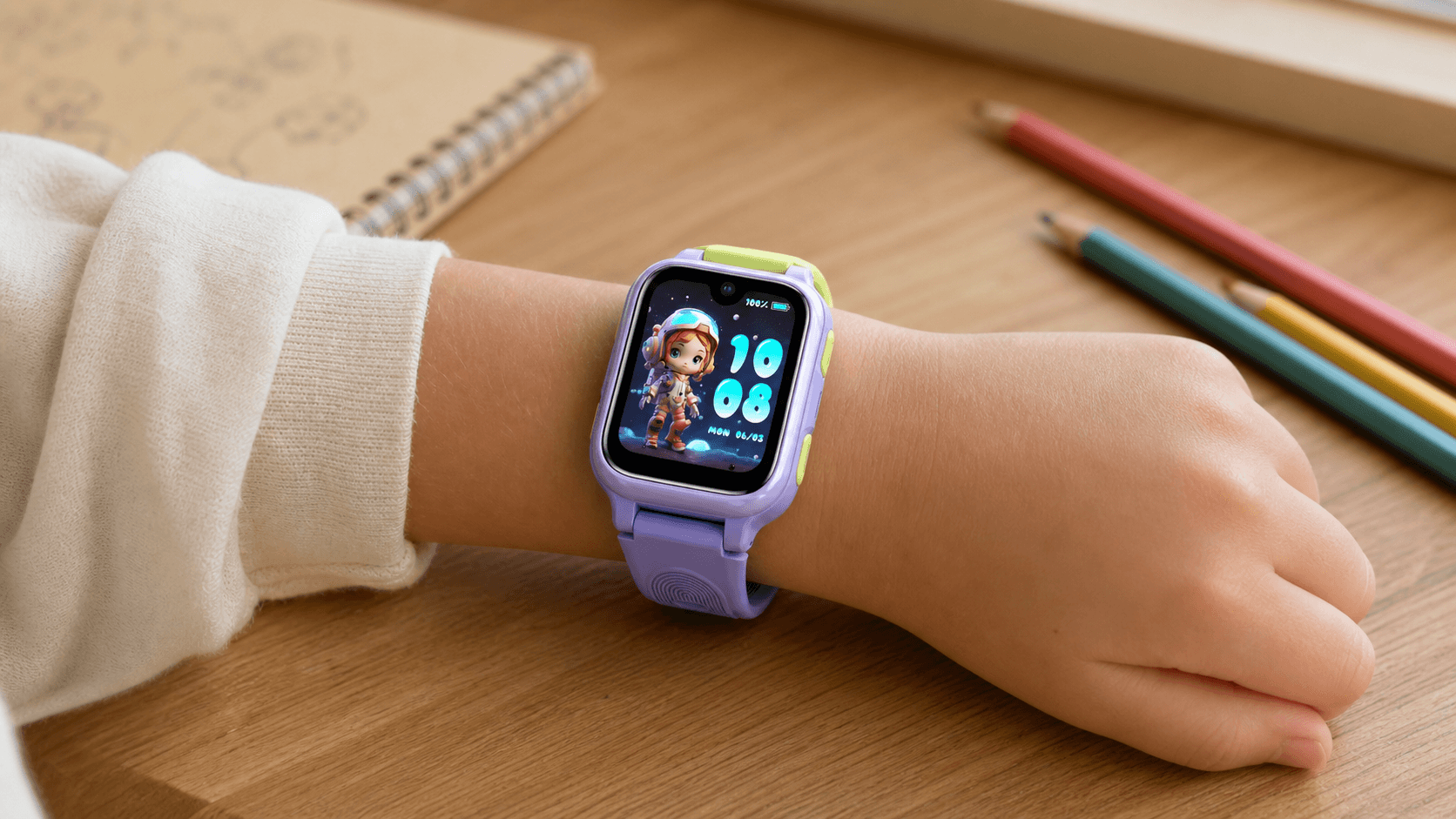
The K10 has a 1.8-inch touchscreen with clear icons and a straightforward menu. The screen looks bright indoors, while menus respond promptly to taps and swipes. Several watch faces are included, allowing children to personalise the display without making the interface more complicated.
The strap feels sturdy and uses a familiar buckle that is easy to adjust. Blue, pink and black colour options give children some choice while keeping the overall design simple.
On the side of the watch are a multifunction button and a dedicated SOS button. The case also includes a speaker, microphone, camera and a covered tray for the Nano SIM card. Charging is handled by a magnetic USB cable that attaches to the back.
Initial setup takes place through the LAGENIO app. After creating an account, the watch can be paired using its QR code. The app then becomes the main control centre for contacts, location, safe zones, alarms and School Mode.
The process is manageable, although a few labels in the app could be worded more naturally in English. The important controls are still easy to identify once the watch is connected.
It is best to complete the setup before giving the K10 to a child. Add the main contacts, configure SOS numbers, make a test call and confirm that mobile data and location updates are working.

Calls, messages and parental controls
With a compatible 4G Nano SIM and mobile plan, the K10 can make voice and video calls without being paired with the child’s own smartphone.
This is useful when an activity finishes earlier than planned, a child arrives at a relative’s house or the meeting point after school changes. Instead of carrying a phone, the child can call directly from their wrist.
Voice messages came through quickly over a stable connection and played clearly through the watch. Video calling also connected without difficulty, with both sides able to see and hear each other. The 0.3MP camera is designed for practical family check-ins rather than detailed photography, but it suits that purpose.
The K10 does not include a full keyboard for conventional text messages. Communication is centred on calls, video chats and voice messages through the LAGENIO app. For younger children, speaking is often easier than typing on a small screen.
The app keeps the contact list under adult control. Family members and other trusted adults can be added when needed, while calls from unfamiliar numbers can be restricted. Call permissions and other settings can also be adjusted without taking the watch away from the child.
This controlled approach gives children enough independence to contact someone they trust without opening the door to the wider contact environment of a smartphone.
Location, SOS and school-day use
The K10 uses GPS, Wi-Fi, LBS, A-GPS and accelerometer-assisted positioning. Different sources can be used depending on the child’s surroundings and the signals available.
GPS generally works best outdoors with a clear view of the sky. Inside a school, shopping centre or other large building, the watch may rely more on Wi-Fi networks or mobile base stations. Location should therefore be treated as a practical check-in tool rather than exact, metre-by-metre tracking in every environment.
Safe zones can be set around familiar places such as home, school or a relative’s house. The app also allows the location to be refreshed and includes a Find My Watch function.
For more urgent situations, the dedicated SOS button gives a child a quick way to contact emergency numbers selected during setup. Families should practise using it at home so the child knows which button to press, who will be contacted and when it should be used.
School Mode helps the watch remain useful on the journey to school without becoming a distraction during lessons. It can be scheduled around the child’s timetable, restricting calls and messages while still allowing the child to check the time.
The K10 also includes a timetable, alarms, a step counter and a stopwatch. These are simple additions, but they can help children follow school and activity routines. Parents should still check the school’s policy on connected watches, as rules vary.
Battery and everyday durability
The 950mAh battery is one of the strongest reasons to choose the K10. It is larger than the 700mAh battery in the LAGENIO K9 and the 770mAh battery in the K3.
Actual battery life will vary depending on mobile reception, location update frequency, video calls, screen brightness and general use. Weak coverage can also increase power consumption as the watch searches for a network.
Even so, the larger capacity makes the K10 a strong option for school days, outdoor play and after-school activities. Charging it as part of a regular evening routine helps ensure that it is ready the following morning.
The watch is rated IP68 for everyday water resistance. It can handle ordinary situations such as rain, hand washing and occasional splashes. It should not be treated as permanently waterproof or worn in hot water, saunas, diving, seawater or high-pressure water. The watch should also be completely dry before charging.
Nio AI for everyday curiosity
The K10 includes the Nio AI learning assistant. Children can ask voice questions about words, science, history and general knowledge, then receive a spoken response.
A child might request the meaning of a new word, ask a simple historical question or use the translation function. The voice-based interaction makes these tools easier to use on a small watch screen.
Nio AI adds an educational element without giving children access to an open browser. As with any AI tool, it is best used as a starting point for curiosity rather than a replacement for parents, teachers or trusted learning materials.
SIM choice and overall value
The K10 uses a 4G Nano SIM for mobile calls, data and location updates away from Wi-Fi. A plan with both mobile data and voice calling is recommended, as data-only SIM cards may not support every call or location feature.
Available SIM options depend on the market. European customers can choose a compatible local carrier rather than being tied to a compulsory LAGENIO contract. Families in other markets should check local network compatibility and available plans before purchase.
The K10 sits in the mid-range of the kids’ smartwatch market. Its value comes from practical communication, a large battery and parental controls rather than entertainment features. For families that will regularly use calls, location check-ins and School Mode, that combination feels well judged.
Is the LAGENIO K10 right for your family?
The K10 makes the most sense for a child who is beginning to walk to school, attend activities or spend more time away from a parent but does not yet need a smartphone.
Its 950mAh battery, controlled contacts, location tools and School Mode cover the features many families are most likely to use. Calls and voice messages are straightforward, while the absence of games, social media and an open browser keeps the watch focused on communication and daily routines.
Children who already expect typed messages or a more advanced camera may prefer a different device. For younger children who mainly need a simple way to stay in touch, the LAGENIO K10 offers a thoughtful balance of communication, independence and parental control.

Share:
Does a Kids Smartwatch Need a SIM Card? Everything Parents Should Know
Best Kids Smartwatch Without a Subscription: Plans and SIM Options Compared